Your agent as a panel inside your own product, in your own brand.
Vendo brings the loop, the model, and the chat surface. You paste three things
into your own client.This picks up after the two commands on the main quickstart:
npm install @vendoai/vendonpx vendo init
pnpm add @vendoai/vendopnpm exec vendo init
Those leave you app/api/vendo/[...vendo]/route.ts written, and a model
credential settled.Which credential depends on how you answered init’s models question. Vendo
Cloud ran the browser login and put a VENDO_API_KEY in .env.local.
Bring my own key took your paste and put it in the same file, under
ANTHROPIC_API_KEY, OPENAI_API_KEY, or GOOGLE_GENERATIVE_AI_API_KEY.
Decide later wrote no key at all — vendo login, or your own key in
.env.local, is what makes the first turn answer.
Model credentials covers all three.
1
Mount the provider
Paste what init printed into your client layout. Your paths and theme are
already filled in.
app/layout.tsx
import { VendoProvider } from "@vendoai/vendo/react";import type { VendoTheme } from "@vendoai/vendo";import theme from "../.vendo/theme.json";// in your own RootLayout, props type untouched:<body> <VendoProvider baseUrl="/api/vendo" theme={theme as VendoTheme}> {children} </VendoProvider></body>
baseUrl is where the route is mounted, path prefix included. An app served
under /maple passes baseUrl="/maple/api/vendo".
2
Add the overlay
One line inside the provider puts your agent on every page. It opens over your
app, or docks beside it with placement="dock".
app/layout.tsx
import { VendoOverlay, VendoProvider } from "@vendoai/vendo/react";<VendoProvider baseUrl="/api/vendo" theme={theme as VendoTheme}> {children} <VendoOverlay /></VendoProvider>
Prefer a command bar? Mount <VendoPalette /> beside the overlay and ⌘K
opens the same panel in its compact form.
3
Add the slot
Put a slot where a card would go. A screen the agent builds can live there
instead of in the panel.VendoSlot comes from the package you already installed — no second one.The id and the file are both yours. spend-breakdown on a bank’s overview page
is this example’s choice: pick any string, and put the slot on whichever page you
want the surface to appear on. Nothing else has to know it — a mounted slot
reports itself, which is what makes it somewhere a view can be pinned.
Empty, the slot shows a ghost with prompts that open the panel. Ask for a
view, press Pin to dashboard on the card that comes back, and it renders
in your grid and stays there.
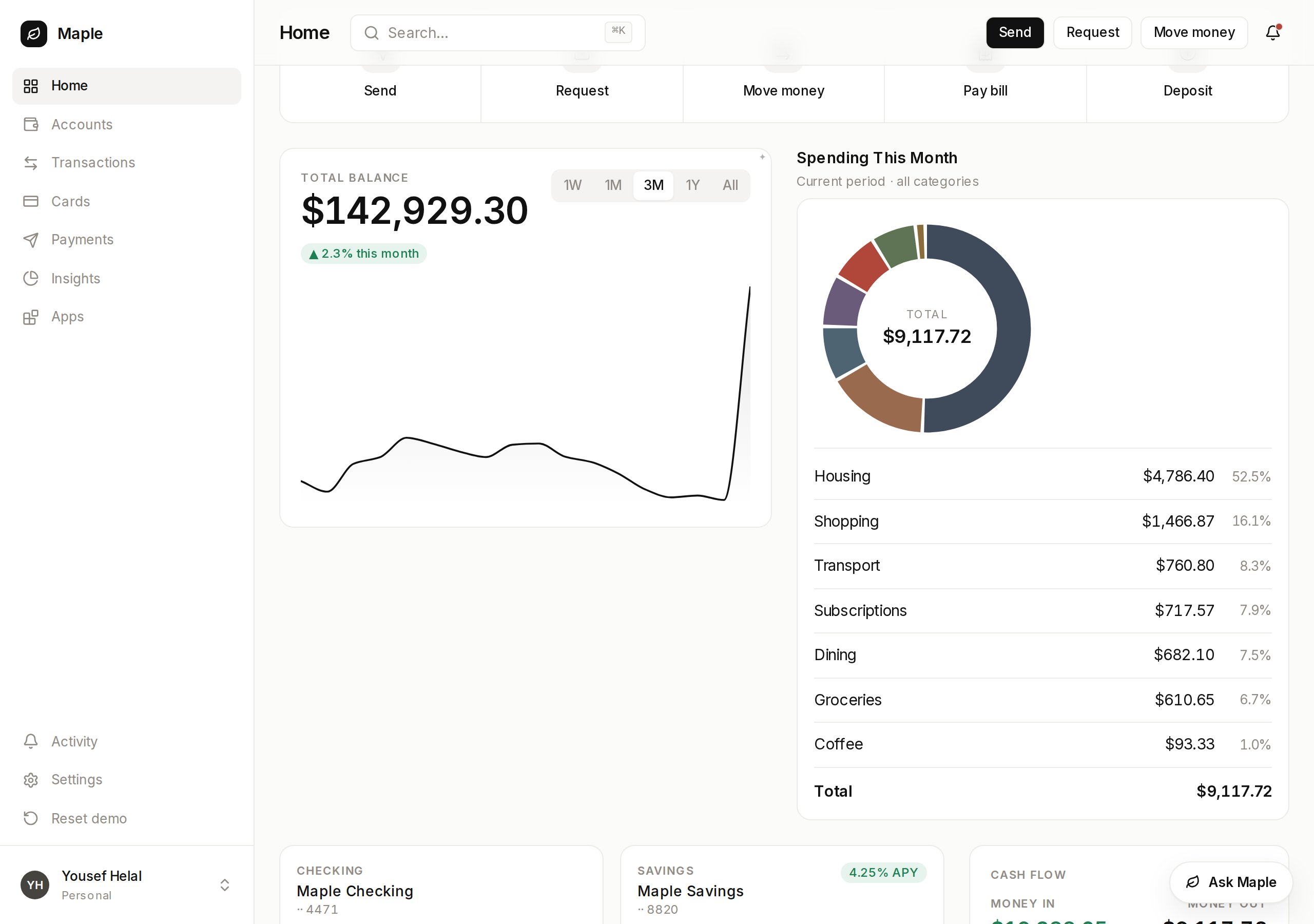
Your page, your grid. The card in the middle is generated.
Start the app and click the launcher pill in the corner.
npm run dev
pnpm dev
Ask for something you would otherwise click through to, like “Where did my
money go?” The agent calls your own API as the person signed in, and answers
with a screen instead of a paragraph when the answer is one to look at.
The panel is Vendo. The fonts, colors, and data are yours.